Voted Best Answer
Mar 01, 2025 - 10:33 AM
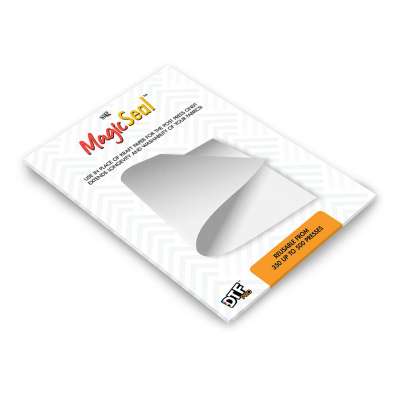
The MagicSeal Sheet is used during the final post-press step to improve the softness, breathability, and finished feel of your printed garment. It is reusable and is placed directly over the printed image during the final press.
1. Condition the sheet before first use
Before using a new MagicSeal Sheet for the first time, place the sheet on the lower platen of your heat press with the rubbery side facing down. Press with medium pressure for 20 seconds at 270F / 132C. This conditions the sheet and prepares it for proper use.
2. Press your transfer normally
Print, press, and peel your DTF transfer according to the instructions for the specific DTF film, paper, or transfer type you are using. The MagicSeal Sheet is not used for the main transfer press. It is used afterward for the final post-press.
3. Place the MagicSeal Sheet over the design
After the transfer has been pressed and peeled, place the MagicSeal Sheet directly over the printed design with the rubbery side touching the garment.
4. Final post-press
Press for 20 seconds using heavy pressure at 270F-280F. This final press helps soften the print, improve breathability, and create a smoother, more comfortable finish.
5. Remove the sheet
After pressing, lift the MagicSeal Sheet away from the garment. The printed area should have a softer feel and a more finished appearance.
Important workflow note
MagicSeal Sheets are used at a lower temperature than many standard DTF pressing workflows. Because of this, some users prefer to use a separate heat press for the MagicSeal final press. Others complete their normal transfers first, then lower the heat press temperature and do all MagicSeal second presses later in one batch. Alternatively, use the MagicSeal Spray with a Teflon Sheet, you can press at up to 320F without need to lower temps.
Choosing the right sheet size
MagicSeal Sheets are available in Compact, A4, and A3 sizes. Use Compact for pocket logos, left-chest prints, sleeve prints, and small graphics. Use A4 for everyday jobs and medium-size designs. Use A3 for larger designs and full-size prints. Matching the sheet size to the design size helps reduce waste, lower the cost per press, and improve efficiency for shops running mixed job sizes.
Care tips
Keep the MagicSeal Sheet clean and free of dust, lint, ink, adhesive, and powder residue. Store it flat when possible, and avoid folding or creasing the sheet. With proper care, and not pressing at temps higher than 280F, each sheet can typically last for approximately 350 to 500 presses, depending on usage and press conditions.