Staff Answer
Jun 26, 2026 - 05:05 AM
Yes, many Roland BY-20 users can upgrade from the original Roland S-PG ink system to the newer Roland S-PG2 DTF ink system, but the upgrade must be done correctly. You cannot simply remove S-PG cartridges and install S-PG2 cartridges into a BY-20 that is still configured for S-PG. A proper ink system conversion is required before using S-PG2 inks.
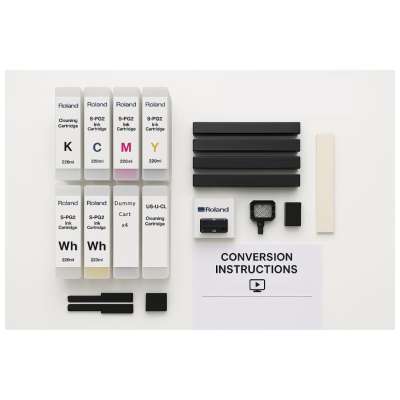
The Roland S-PG2 conversion kit is designed to help transition a compatible Roland BY-20 from first-generation S-PG inks to second-generation S-PG2 inks. This process typically includes the required cleaning components, replacement maintenance parts, and S-PG2 cartridges needed to prepare the printer for the new ink system. The goal is to protect the printer, maintain print quality, prevent ink system errors, and allow the BY-20 to properly benefit from the improved S-PG2 formulation.
S-PG2 inks are designed to improve key areas of the DTF printing workflow, including ink stability, white ink opacity, print consistency, durability, and maintenance performance. For apparel decorators using the BY-20 for custom shirts, transfers, sportswear, promotional products, and small-batch production, upgrading to S-PG2 can be a useful way to improve reliability and overall workflow efficiency.
Some Roland BY-20 printers may already be configured for S-PG2, especially if they were purchased later or sold new with the S-PG2 ink system. If your BY-20 is already configured for S-PG2, you do not need to convert it again; you simply need to order compatible Roland S-PG2 220ml DTF ink cartridges. If your BY-20 is still running S-PG, use Roland S-PG 220ml cartridges until you complete the proper conversion process.
Before upgrading, confirm your printer's current ink generation. Check the cartridge labels, printer configuration, and any service or conversion records. This helps ensure that you order the correct Roland DTF ink and avoid mixing S-PG and S-PG2 cartridges in the same printer.